

Overview
As your business costs change, you will need to update the hourly labour rates stored in Ensign. There are two places you can do this, depending on whether you want to make a global change or a job-level adjustment.
Method 1 — Via Tools > Miscellaneous File
This method updates your master labour rate table. Any new jobs you create will pick up the revised rate automatically.
- 1
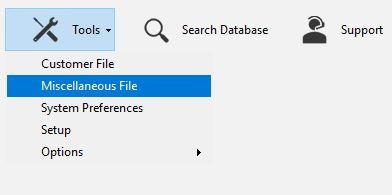
From the main screen, go to Tools > Miscellaneous File.
- 2
Click the Labour Rates button.

- 3
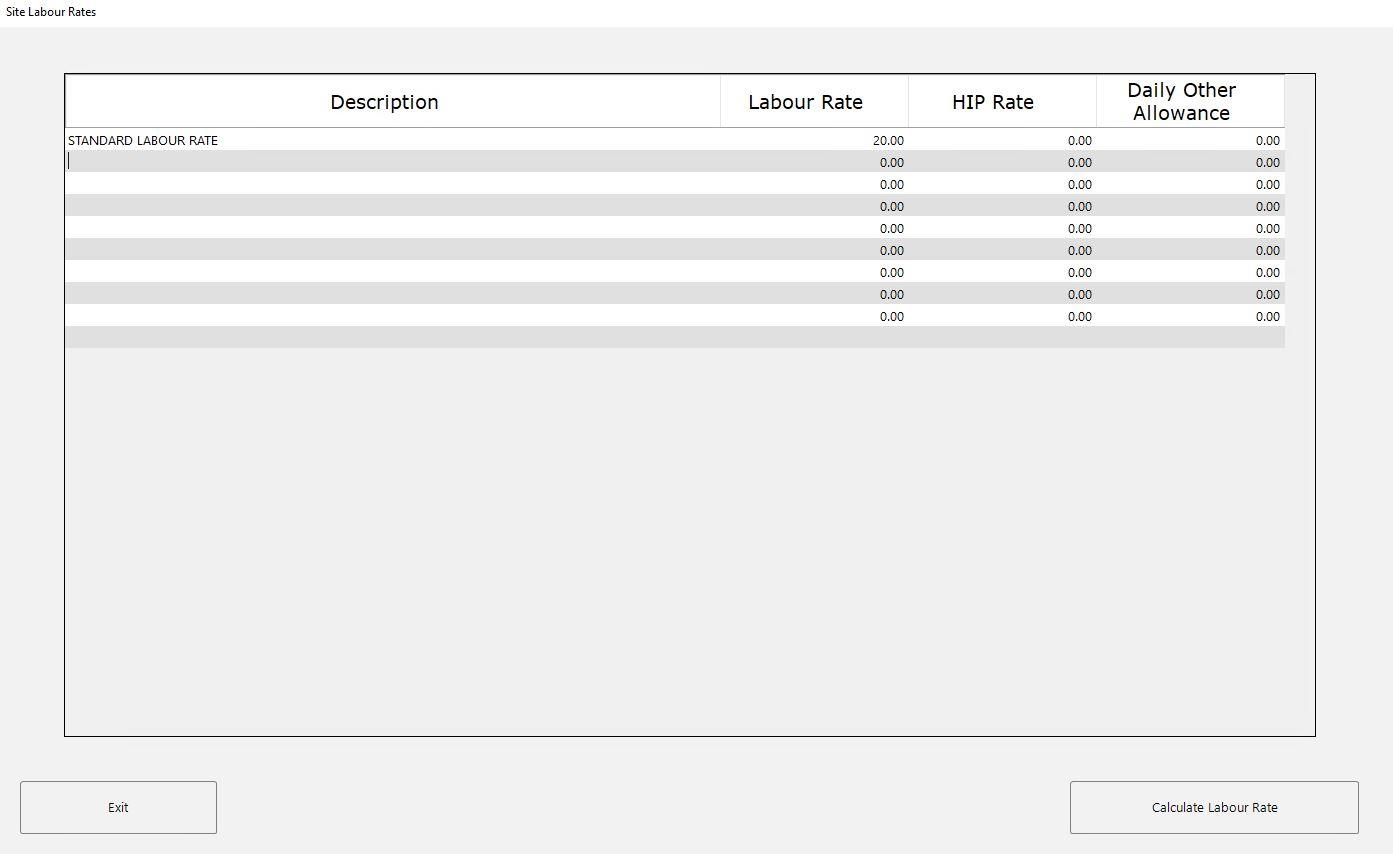
The Site Labour Rates popup opens, showing all your saved rates.
- 4
Click on the Labour Rate value you want to change and type in the new hourly cost. You can also edit the Description, HIP Rate, or Daily Other Allowance columns if needed.
- 5
Click Exit to save your changes.
The labour rates screen in Tools > Miscellaneous File is always accessible, regardless of your job settings or which options are enabled.
Method 2 — Via the job header page
You can also edit labour rates from the job header, but only when the Set Fixed Labour Rate setting is enabled.
- 1
Open or create a job to reach the job header page.
- 2
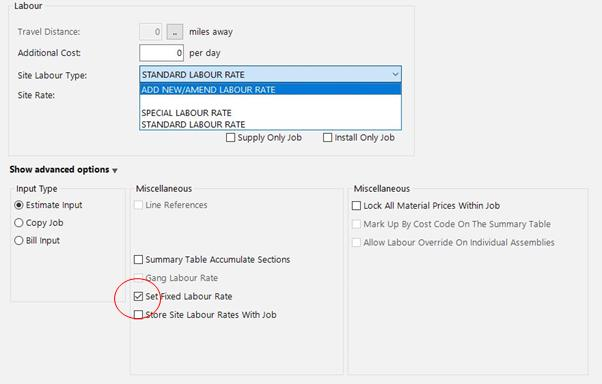
Click Show Advanced Options and ensure Set Fixed Labour Rate is ticked.
- 3
From the Site Labour Type dropdown, select Add New/Amend Labour Rate to open the labour rate table. Make your changes and click Exit.
Using a Special Labour Rate
If you only need to change the rate for one particular job — without affecting your master rates — you can use the Special Labour Rate option instead.
- 1
On the job header page, select Special Labour Rate from the Site Labour Type dropdown.
- 2
Type your desired hourly rate into the Site Rate field.
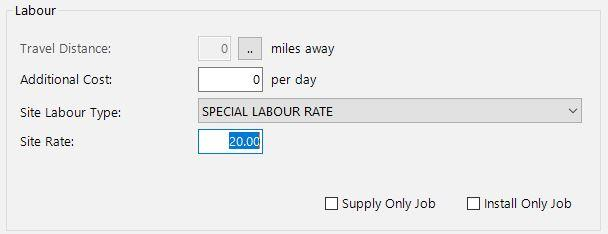
This rate applies only to the current job and does not change any of your stored rates.
If you change a labour rate on an existing job that has already been calculated, you will need to recalculate the job for the updated rate to take effect across all items.
Which method should I use?
| Goal | Recommended method |
|---|---|
| Update a rate for all future jobs | Method 1 — Tools > Miscellaneous File |
| Update a rate while setting up a specific job | Method 2 — Job header page |
| Use a one-off rate for a single job only | Special Labour Rate |
Next steps
- Setting Up Labour Rates — add new rates and manage your full list
- Job-Specific Labour Rates — store custom rates with a particular project