

Overview
Before you start estimating, you need to set up the labour rates your business uses. Ensign lets you store multiple labour rate options — for example, a standard rate, an out-of-hours rate, and an out-of-town rate — so you can quickly select the right one when creating a job.
Where to find labour rates
There are two places you can view and edit your labour rates:
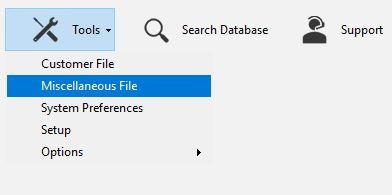
- Tools > Miscellaneous File > Labour Rates — accessible at any time from the main screen, regardless of your job settings.
- Job header page — when the Set Fixed Labour Rate option is enabled, you can also edit rates directly from the labour section of the job header.
Adding and editing rates via Miscellaneous File
- 1
From the main screen, go to Tools > Miscellaneous File.
- 2
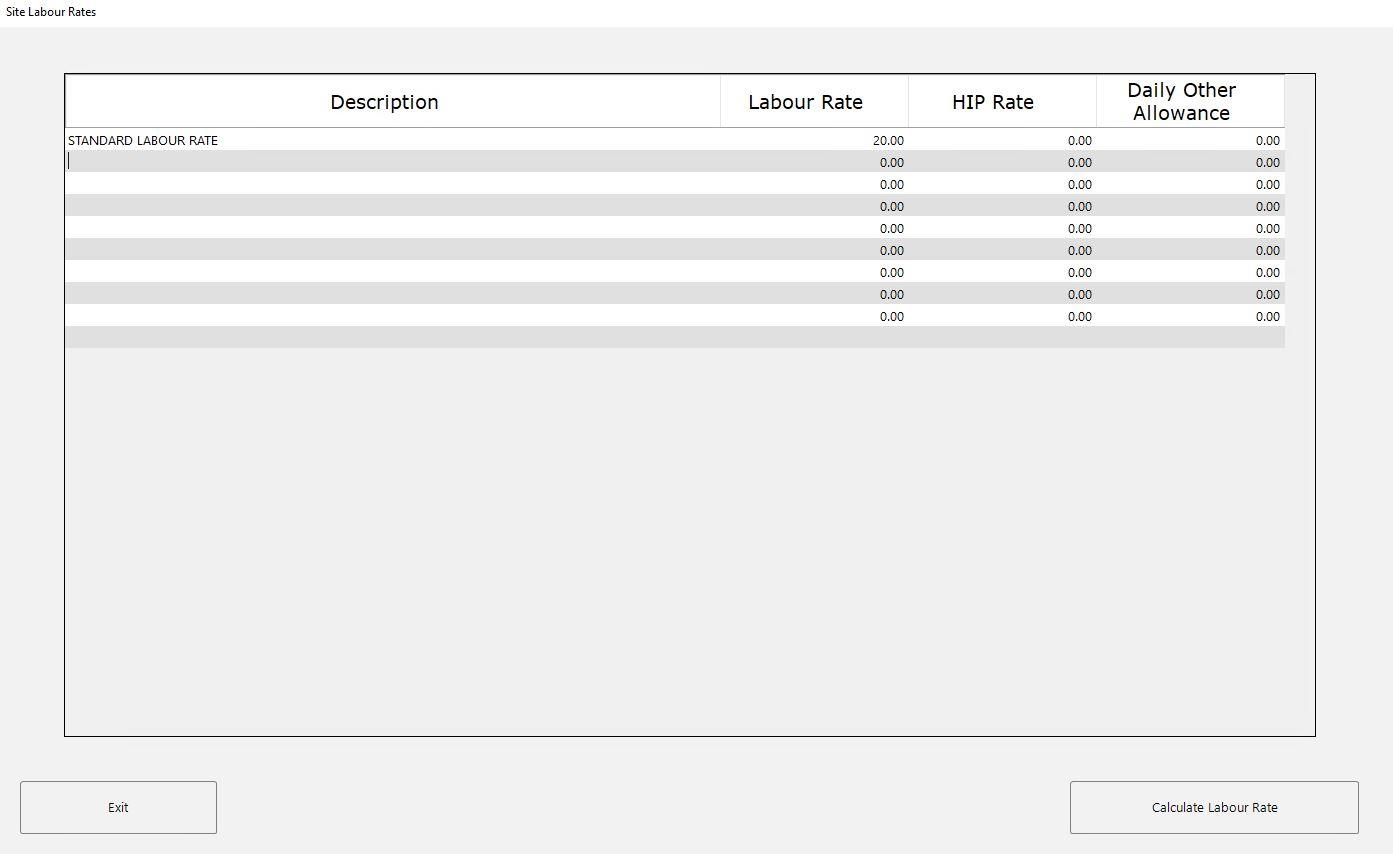
Click the Labour Rates button to open the Site Labour Rates popup.

- 3
The table displays all your existing labour rates with columns for Description, Labour Rate, HIP Rate, and Daily Other Allowance.
- 4
To edit an existing rate, click directly on the value you want to change and type in the new figure.
- 5
To add a new rate, scroll to the first empty row and type in a description and the corresponding hourly rate. For example, you might add entries such as:
- Standard Labour Rate
- Out of Hours Labour Rate
- Out of Town Labour Rate
- 6
Click Exit when you are finished. Your changes are saved automatically.
Adding rates from the job header
When you create or amend a job, the labour section of the job header includes a Site Labour Type dropdown. From this dropdown, select Add New/Amend Labour Rate to open the same Site Labour Rates popup described above.
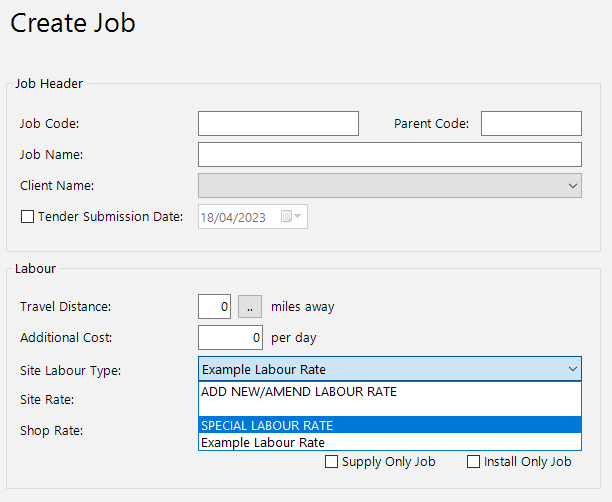
This is a convenient shortcut if you realise you need a new rate while you are already setting up a job.
Always add new labour rates rather than overwriting existing ones. Keeping all your rates available means you can switch between them as needed, without losing options you may need on future jobs.
Understanding the rate columns
| Column | Purpose |
|---|---|
| Description | A label to identify the rate (e.g. "Standard Labour Rate", "Out of Hours") |
| Labour Rate | The hourly cost of labour in pounds |
| HIP Rate | An optional secondary rate field (used in some trade versions) |
| Daily Other Allowance | An additional daily cost that gets added per working day when this rate is selected |
Selecting a rate for a job
Once your rates are set up, you choose which one to use on the job header page. The Site Labour Type dropdown lists all available rates. Simply select the one that applies to the current project.
If you need a one-off rate for a specific job without adding it to your permanent list, use the Special Labour Rate option instead. See the Job-Specific Labour Rates guide for details.
Next steps
- Job-Specific Labour Rates — enter a one-off rate for a single project
- Multiple Labour Rates — use different rates within the same job
- Changing the Labour Rate Cost — update your hourly cost at any time