

Overview
Sometimes you need a labour rate that applies to just one project — perhaps a client has negotiated a fixed hourly rate, or the job has unique circumstances. Ensign provides two ways to do this without affecting your master rate list.
Method 1 — Special Labour Rate (single rate)
Use this method when you need a single, one-off hourly rate for the entire job.
- 1
Navigate to the job header page. This works for both new jobs (Create Job) and existing jobs (Amend Job).
- 2
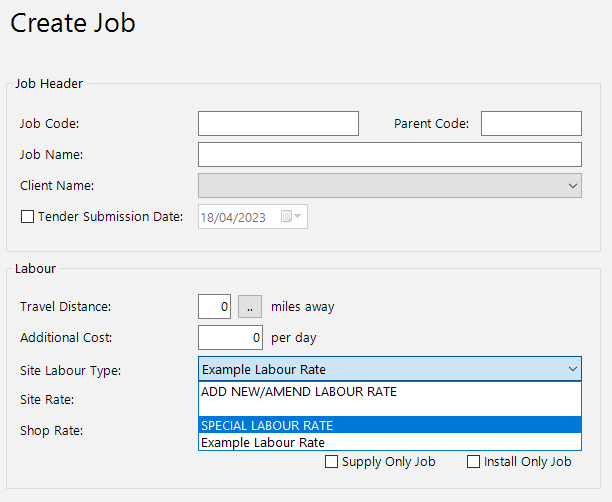
In the Site Labour Type dropdown, select Special Labour Rate.
- 3
The Site Rate field is now unlocked. Type in your job-specific hourly rate.
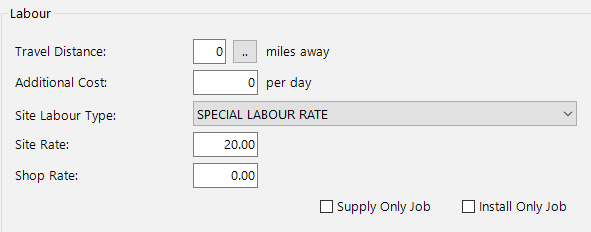
The Special Labour Rate only applies to this particular job. It does not change or overwrite any of the rates stored in your master labour rate table.
If you apply a Special Labour Rate to an existing job that has already been calculated, you will need to recalculate the job for the new rate to take effect.
Method 2 — Store Site Labour Rates With Job (multiple rates)
Use this method when you want to create custom labour rates that are saved exclusively with this job. This is ideal if the project requires several rates that differ from your standard options.
- 1
Navigate to the job header page for a new or existing job.
- 2
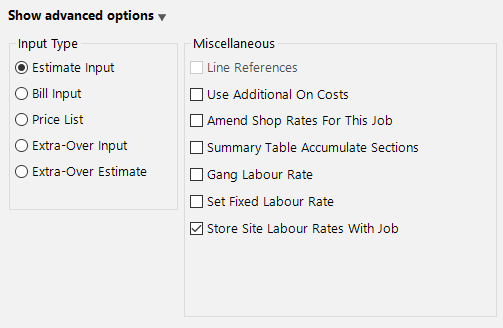
Click Show Advanced Options at the bottom of the screen.
- 3
Untick Set Fixed Labour Rate (if it is currently ticked), then tick Store Site Labour Rates With Job.
- 4
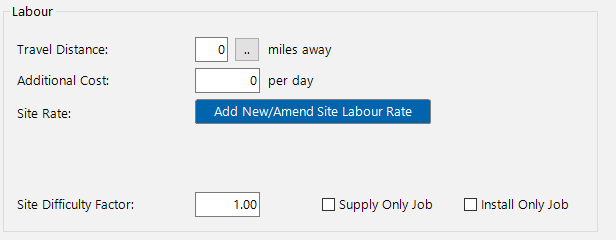
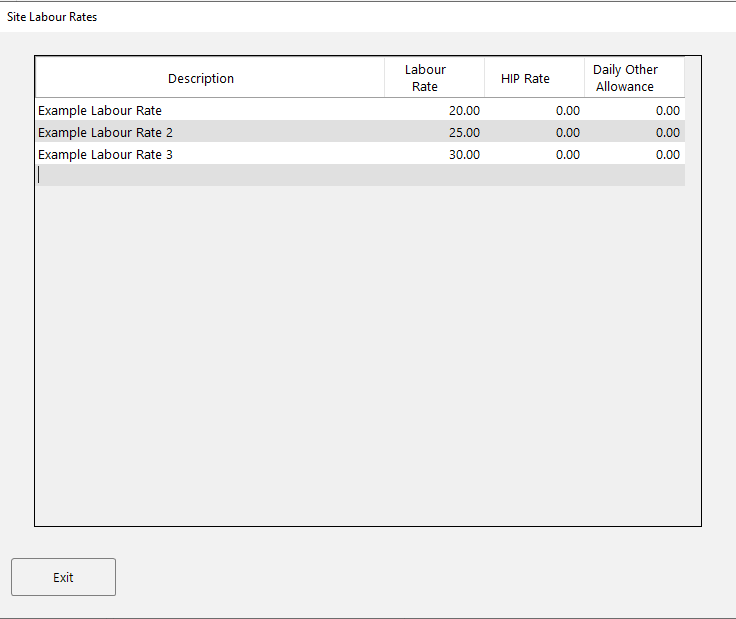
A large blue button labelled Add New/Amend Site Labour Rate appears in the labour section. Click it to open the labour rate table popup.
- 5
Edit existing rates or add new ones at the bottom of the list. These rates are stored with the job only and will not affect your master rate table.
- 6
Click Exit when you are finished.
Method 2 is particularly useful on large projects where you might need standard, overtime, and specialist rates that are priced differently from your usual defaults.
Which method should I use?
| Scenario | Recommended method |
|---|---|
| One fixed hourly rate for the whole job | Method 1 — Special Labour Rate |
| Multiple custom rates unique to this job | Method 2 — Store Site Labour Rates With Job |
| Standard rates from your master list | Neither — just select the rate from the Site Labour Type dropdown |
Next steps
- Setting Up Labour Rates — manage your master list of reusable rates
- Multiple Labour Rates — apply different rates to different parts of a job