

Overview
The Copy Take-off Lines function lets you copy takeoff lines between sections within the same job or from one job into another. This is useful when a new job shares similar specifications with a previous one, saving you from re-entering the same lines manually.
This function is available in the Ductwork, Electrical, Mechanical, and Generic estimating platforms.
Copying takeoff lines from another job
- 1
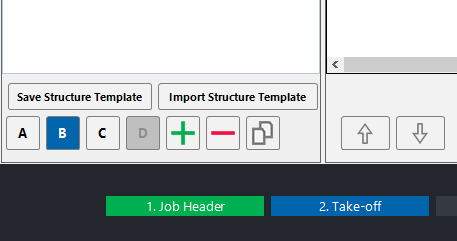
Navigate to the Take-off page within the job you want to copy lines into. Make sure your section structure is already set up, then click the Copy Take-off Lines button in the toolbar.
- 2
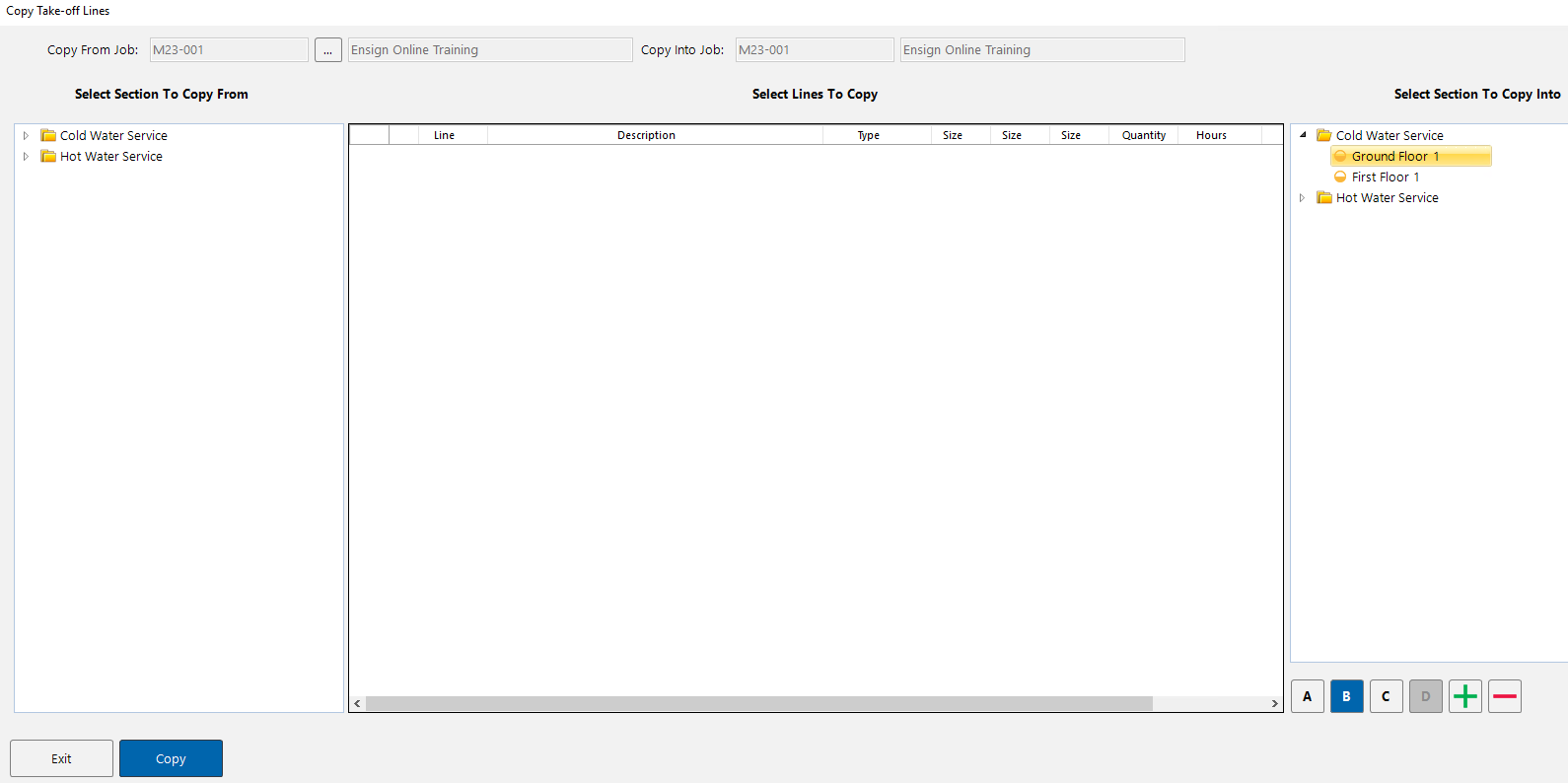
A pop-up window appears showing the sections in your current job. By default, the same job is shown on both sides — this layout is used when copying lines between sections within the same job.
To copy from a different job, click the ellipsis (...) button next to the "Copy From Job" field in the top-left corner.
- 3
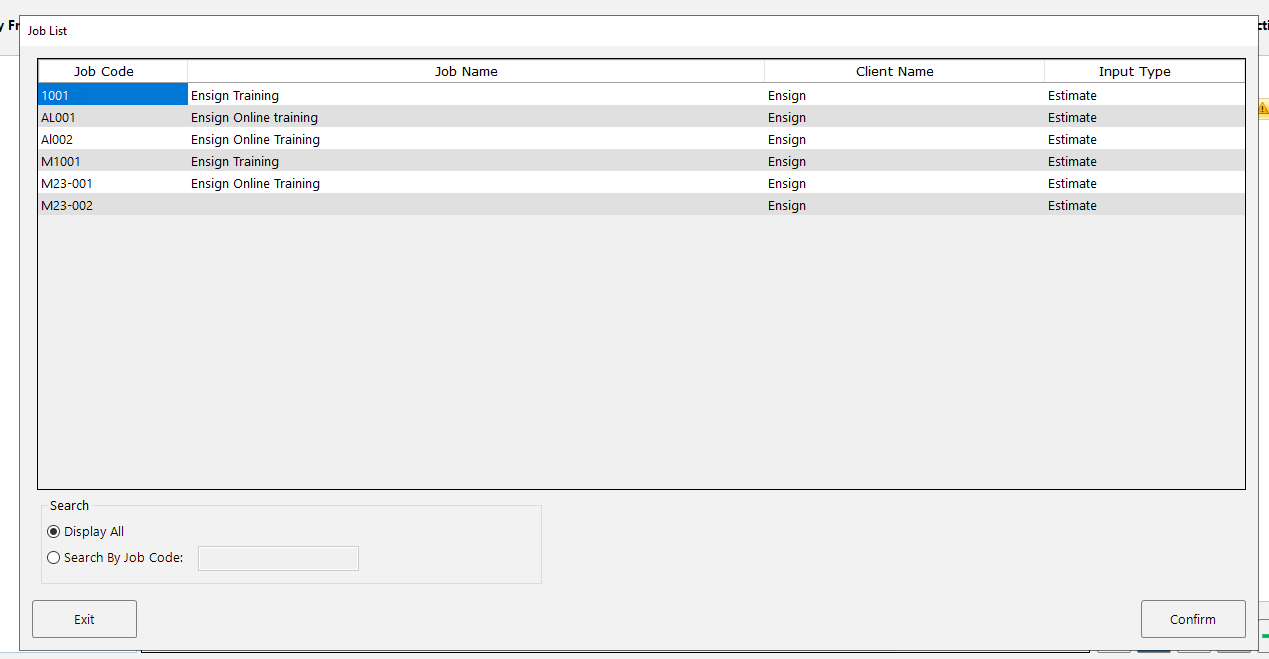
The Job List window opens, displaying all available jobs. Select the job you want to copy from by either double-clicking it or highlighting it and pressing Confirm. You can also use the Search By Job Code option at the bottom to find a specific job.
- 4
The window now shows the selected source job on the left and your current job on the right. To copy lines:
- On the left, expand the sections of the source job to reveal its subsections.
- Click a subsection to display its takeoff lines in the centre panel.
- Highlight the lines you want to copy in the centre panel.
- On the right, select the destination section where you want the lines inserted.
- Click the Copy button at the bottom-left of the window.
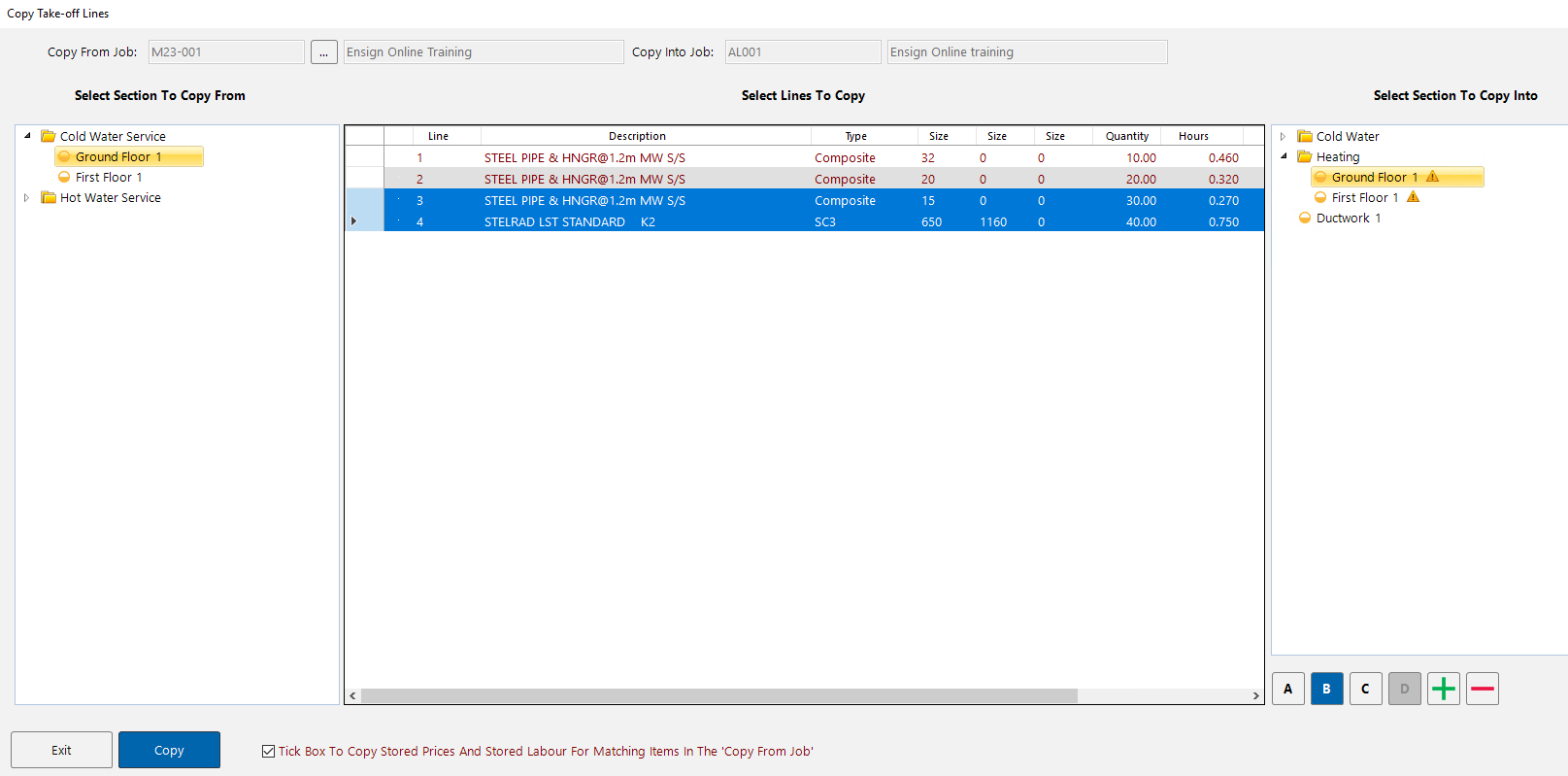
At the bottom of the Copy Take-off Lines window, there is a tick box to copy stored prices and stored labour for matching items from the source job. Keep this enabled if you want to bring across pricing data as well.
Copying lines within the same job
You can also use the same function to copy lines between sections within the current job. Simply skip the step where you select a different job — the left and right panels will both show your current job's sections, and you can copy lines from one section to another.